
A client report that writes itself every month
Clients want to know what you did and what it changed. Client reports build that from the work recorded in the app and Google's own numbers, in your brand, on the schedule you choose.
What it does
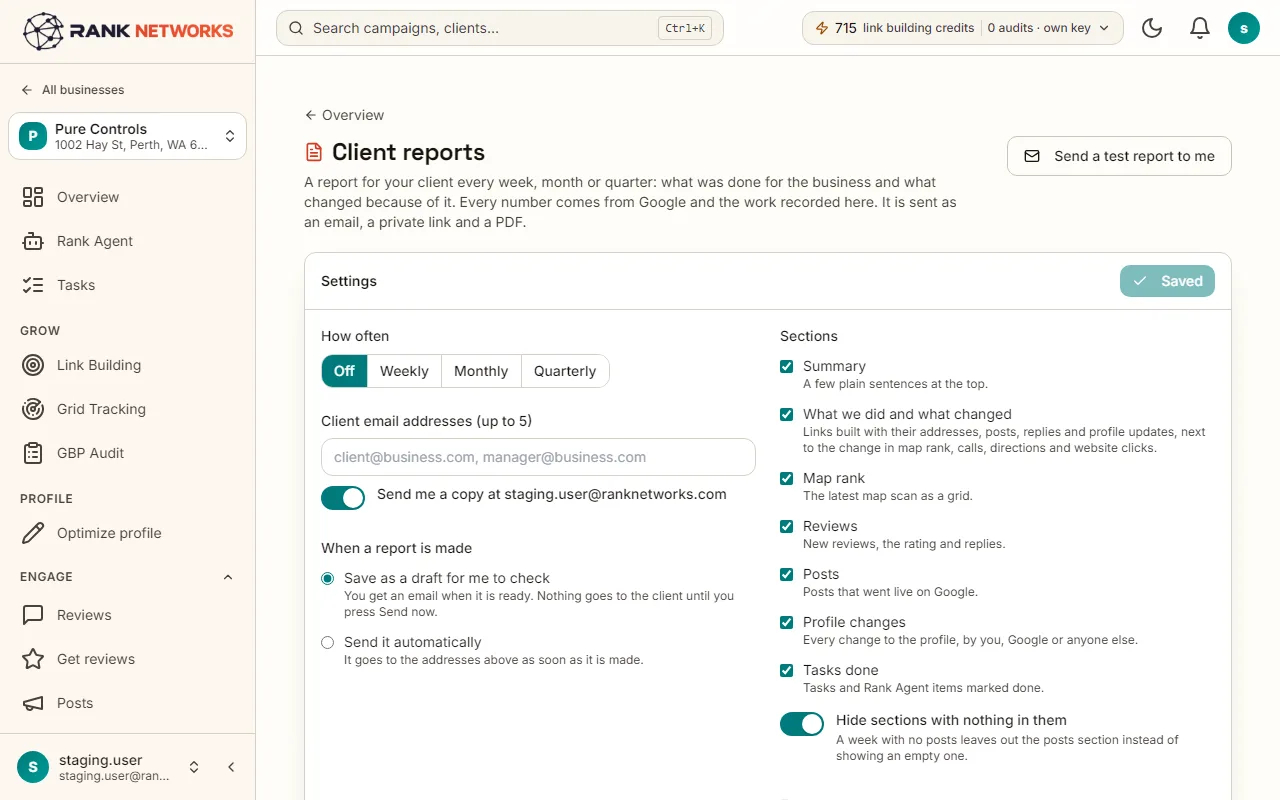
Client reports makes a report for each business every week, month or quarter. It covers what was done, the map rank, reviews, posts, profile changes and tasks, with every number from Google and the work recorded here. You choose the sections, the recipients and whether it goes out as a draft for you to check or straight to the client, as an email, a private link and a PDF.
A real-life example
Say you run a small agency in Sydney with twelve local clients.
Before: The first week of each month went on building twelve reports by hand.
After: Each client gets a monthly report in your brand on the 1st, with what we did and what changed on the first page. You read the drafts on the last day of the month and send them in ten minutes.
How you would use it
- 1.Open a business and click Client reports.
- 2.Choose weekly, monthly or quarterly and the day it goes.
- 3.Tick the sections, add the recipients, and choose Draft for me first or Send automatically.
- 4.Press Preview to see this month's report, and Send a test to yourself.
- 5.Each report is listed afterwards with its PDF and a share link you can turn off.
The mechanism, in plain words
What runs behind the page, what it reads, and where Google's rules shape it.
- The summary section lists the work done for the business in the period: posts, replies, changes put back, links built, tasks finished.
- Rank comes from the business's scheduled map scans, reviews and posts from Google, and changes from change history.
- White label puts your name and logo on the report and your own report domain on the links, and never mentions Rank Networks.
- Empty sections are hidden, so a quiet month does not look like a broken report.
- A report sent or drafted also goes to Slack when you want it.
Included in every package
Client reports comes with every package. Each package covers a number of Google Business Profiles and one shared monthly pool of Grid Credits, links, audits and AI images.
Nothing from the monthly pool.
A new account starts with 250 free Grid Credits that never expire. Every package has a 14-day money-back promise. See the full pricing page.
Questions, answered
Try Client reports on your own profile
Create a free account, connect a Google Business Profile, and pick a package when you are ready. Every package includes every feature.