
Everything that needs you, in your Slack channel
Email gets buried. Slack alerts post each event to a channel the moment it happens, for every business or for one, so the right person sees it.
What it does
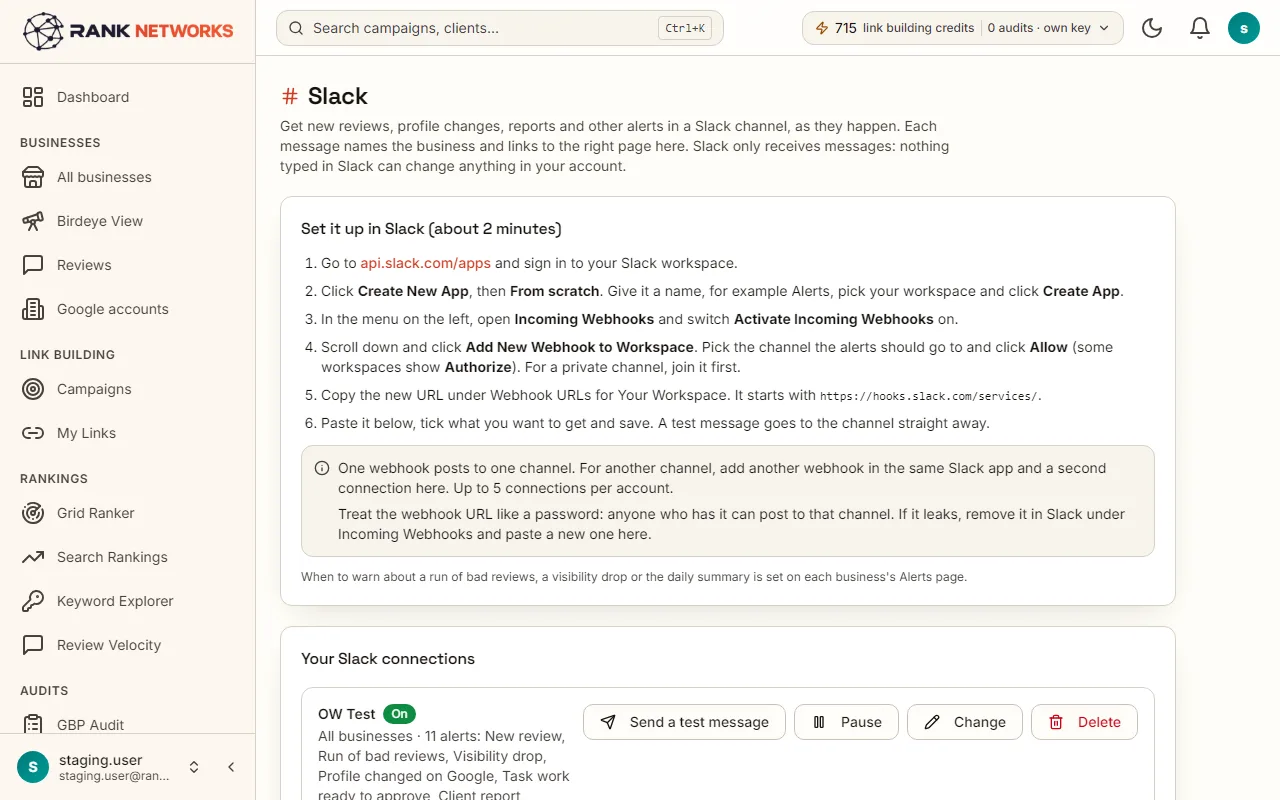
Slack alerts connects Rank Networks to up to five Slack channels. Each connection covers every business or one, and you tick the events it should carry: new reviews, a run of bad reviews, a visibility drop, a profile change, work prepared on the Tasks page, a client report, a client's approval decisions, link building progress and a low balance.
A real-life example
Say you run an agency in Toronto with a Slack channel per client.
Before: Review alerts went to one inbox, and the account manager heard about a one-star review a day late.
After: Each client's channel gets its own reviews, profile changes and reports, and the team channel gets the tasks waiting for approval.
How you would use it
- 1.Open Slack from the Tools menu.
- 2.Press Add to Slack and pick a channel, or paste a webhook address from Slack.
- 3.Choose every business or one, and tick the events.
- 4.Press Send a test and check the channel.
- 5.Add more connections for other channels, up to five.
The mechanism, in plain words
What runs behind the page, what it reads, and where Google's rules shape it.
- Events are sent through Slack's incoming webhook for the channel, the moment they happen in the app.
- Each message says which business, what happened and what was done, with a link back to the page.
- A connection that fails is paused with the reason shown, so you know when a channel was deleted.
- The daily review summary and the Rank Agent Friday note are off by default and can be turned on per connection.
Included in every package
Slack alerts comes with every package. Each package covers a number of Google Business Profiles and one shared monthly pool of Grid Credits, links, audits and AI images.
Nothing from the monthly pool.
A new account starts with 250 free Grid Credits that never expire. Every package has a 14-day money-back promise. See the full pricing page.
Questions, answered
Try Slack alerts on your own profile
Create a free account, connect a Google Business Profile, and pick a package when you are ready. Every package includes every feature.